Routing merchant support tickets in a payment system with Jev
·7 min read
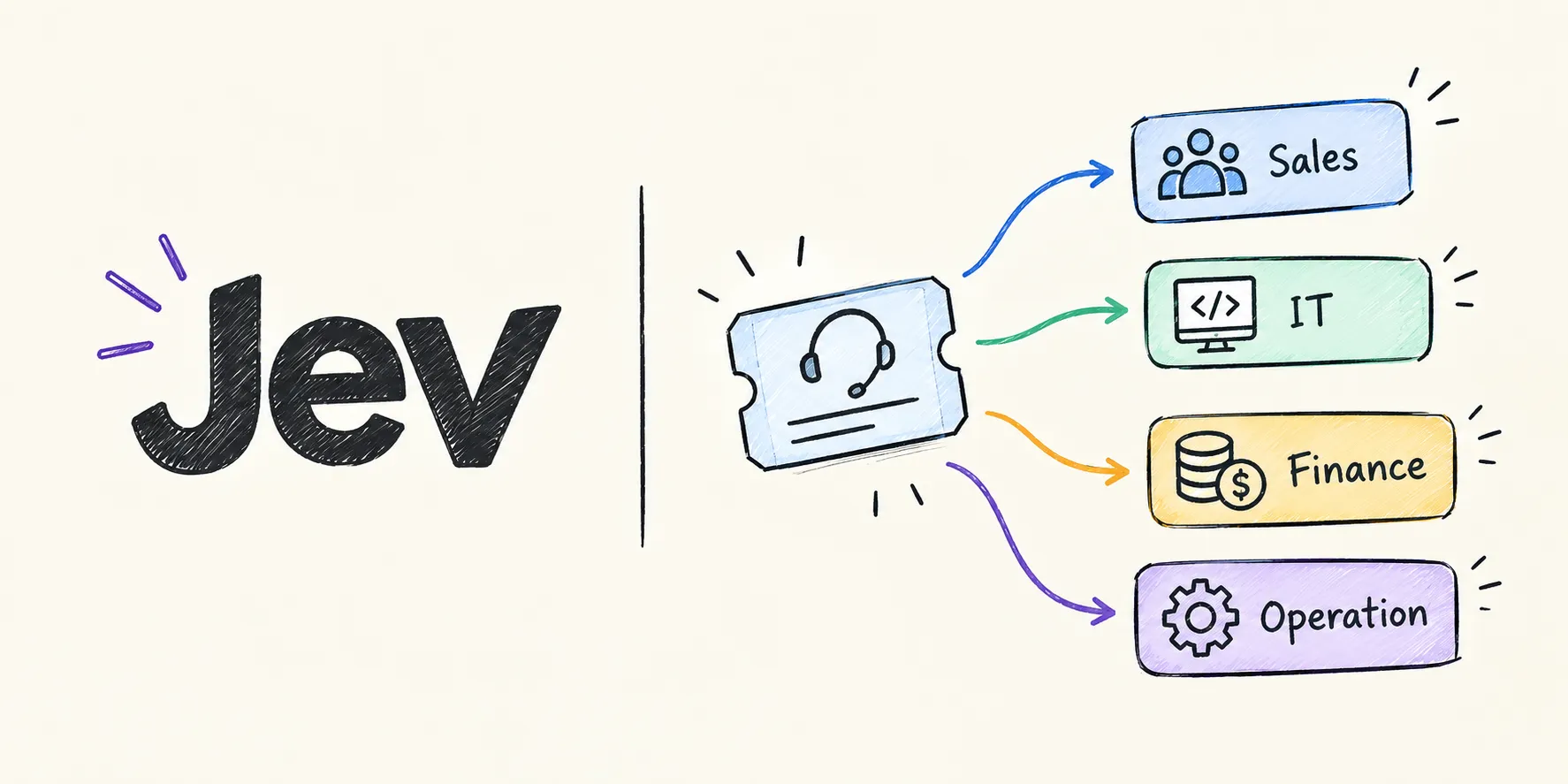
A payment facilitator usually has a lot of merchants, and they will have different questions. Some are for sales, some are for IT support, some are for operations and some are for finance.
Reading every email and forwarding it to the right team takes time. So, in this post I will show an idea to do this routing automatically with Jev, a classification model from TypeSafe AI, using LangChain.
The kind of questions merchants ask
Here is what usually comes to the support inbox, and who should handle it:
| Merchant asks about | Example | Goes to |
|---|---|---|
| Services, rates, required documents | “What are your rates for KNET and cards? What documents do you need?” | Sales / Operations |
| Developer documentation | “Where can I find the API docs for the hosted payment page?” | IT support |
| Errors during integration | “I’m getting 401 Unauthorized when I create a session.” | IT support |
| Activating a new service | “Can you enable Apple Pay for my account AK Flower Shop, account ID: 324735823?” | Operations |
| Refund, dispute or settlement | “I haven’t received the settlement for last week.” | Finance |
| Transaction rejections | “My customers can’t pay, the card is getting declined.” | IT support |
Some of these are easy to mix up. For example, “customer can’t pay” sounds like a finance question, but it is usually a technical issue, so it should go to IT support.
Why Jev and not a normal LLM?
You can ask an LLM like GPT or Claude to classify the email, and it works. But for every ticket you pay for a full LLM call, and you have to parse the text it returns.
Jev is not a text-generating LLM. TypeSafe AI calls it a System One model: you give it a state (the email) and some questions, and it returns typed answers with probabilities. TypeSafe reports up to 200x faster inference and 400x lower cost than comparable LLMs on classification tasks.
Jev supports three types of questions:
- Choice: pick one option from a list. Returns the selected option, the probability of each option and a confidence score.
- Noul: a yes-or-no question. Returns the probability that the statement is true.
- Score: rate the input on ordered levels, like low, medium and high.
All questions in one request are evaluated in parallel, so asking three questions is almost the same speed as asking one.
That is exactly what is needed for ticket routing.
How it works
- A merchant sends an email or creates a ticket.
- The email text is sent to Jev with a few questions: which category, is it urgent, and how severe is it.
- Based on the answer, the ticket is assigned to a department.
- If Jev is not confident, the ticket goes to a person for manual triage.
So, let’s go step by step.
Step 1: Install the package
pip install langchain-typesafe
export TYPESAFE_API_KEY=<your_api_key>
Step 2: Define the categories
First, decide the categories. I’m classifying by what the merchant is asking about, not directly by department. Then I map each category to a department.
This makes the criteria clearer for the model, and if a team changes later, you only change the mapping.
CATEGORIES = {
    "service_enquiry": (
        "Questions before onboarding: available services, pricing and rates, "
        "fees, required documents, contracts."
    ),
    "developer_docs": (
        "Asking for API documentation, SDKs, sample code, test credentials "
        "or how a feature works technically."
    ),
    "integration_error": (
        "Errors while integrating or testing: API errors, authentication "
        "failures, callback or webhook issues, error codes."
    ),
    "service_activation": (
        "A live merchant asking to enable, disable or change a service on "
        "their account, like Apple Pay, KNET, recurring payments or a new currency."
    ),
    "finance": (
        "Refunds, chargebacks, disputes, settlements, payouts, invoices "
        "or missing money."
    ),
    "transaction_failure": (
        "Customers can't pay: payments declined, rejected, failing or stuck "
        "in production."
    ),
}

DEPARTMENTS = {
    "service_enquiry": "sales",
    "developer_docs": "it_support",
    "integration_error": "it_support",
    "service_activation": "operations",
    "finance": "finance",
    "transaction_failure": "it_support",
}
Here, make sure the descriptions don’t overlap too much. The criteria are what Jev uses to decide, so write them like you would explain them to a new support agent.
Step 3: Ask Jev about the ticket
Now create the classifier and ask three questions about the same email in one request:
category: aChoicefrom the categories above.urgent: aNoul, is the merchant blocked or losing money right now?severity: aScore, how big is the impact?
from langchain_typesafe import Choice, Noul, Score, TypeSafeClassifier

classifier = TypeSafeClassifier()


def classify(ticket: str):
    return classifier.invoke({
        "state": ticket,
        "questions": {
            "category": Choice(
                instructions="What is the merchant asking about?",
                criteria=CATEGORIES,
            ),
            "urgent": Noul(
                instructions="The merchant is blocked or losing sales right now",
            ),
            "severity": Score(
                instructions="How big is the business impact for the merchant?",
                criteria=[
                    "General question, no impact.",
                    "Some payments or one feature affected.",
                    "Merchant can't accept any payments.",
                ],
            ),
        },
    })
Choice takes the options as a dictionary of name and description. Score takes a list of levels, from lowest to highest.
Step 4: Route the ticket
Read the answers and decide where the ticket goes:
MIN_CONFIDENCE = 0.7


def route(ticket: str) -> dict:
    response = classify(ticket)

    category = response.choices["category"]
    urgent = response.nouls["urgent"].noul
    severity = response.scores["severity"].score

    # Not sure? Let a person decide.
    if category.confidence < MIN_CONFIDENCE:
        department = "manual_triage"
    else:
        department = DEPARTMENTS[category.choice]

    return {
        "department": department,
        "category": category.choice,
        "confidence": category.confidence,
        "priority": "high" if urgent > 0.8 or severity > 0.7 else "normal",
    }
Here, the confidence check is important. Not every email is clear, and some merchants ask three things in one email. It’s better to send those to a person than to the wrong team.
Start with a threshold like 0.7, then adjust it after you see real tickets.
Step 5: Try it with real examples
Let’s run the Apple Pay request:
route(
    "Hi, can you enable Apple Pay for my account AK Flower Shop, "
    "account id: 324735823. Thanks"
){
"department": "operations",
"category": "service_activation",
"confidence": 0.96,
"priority": "normal"
}And a transaction failure:
route(
    "Since this morning none of my customers can pay on the website. "
    "Every card is rejected. Please check urgently!"
){
"department": "it_support",
"category": "transaction_failure",
"confidence": 0.93,
"priority": "high"
}The values here are samples. Your numbers will be different, but the shape of the result is the same.
Now, the ticket can be assigned to the department queue in your helpdesk (Freshdesk, Zendesk, Jira Service Management, etc.), and high-priority tickets can notify the on-call person.
Where an LLM still helps
Jev only classifies; it doesn’t generate text. So for things like:
- extracting the account ID (
324735823) and merchant name from the email, - writing a draft reply for the support agent,
you still need an LLM or a simple regex. A good setup is to use Jev for every ticket to route it fast and cheap, and call an LLM only when a ticket needs text extracted or a reply drafted.
Things to keep in mind
- Don’t send sensitive data. Merchants sometimes paste full card numbers or customer details in emails. Mask card numbers (PAN) and other sensitive data before sending the text to any external model.
- Keep a human fallback. Low-confidence tickets should always go to a person.
- Log the results. Save the category, confidence and the department the ticket finally ended up in. If agents keep moving tickets from one team to another, update the criteria.
- Emails can have more than one question. If a merchant asks about rates and a refund in the same email, the probabilities will be split, and the confidence will be low. That is a good signal to send it to manual triage.
Tagged jev, langchain, ai, support, payment gateway